
Last updated
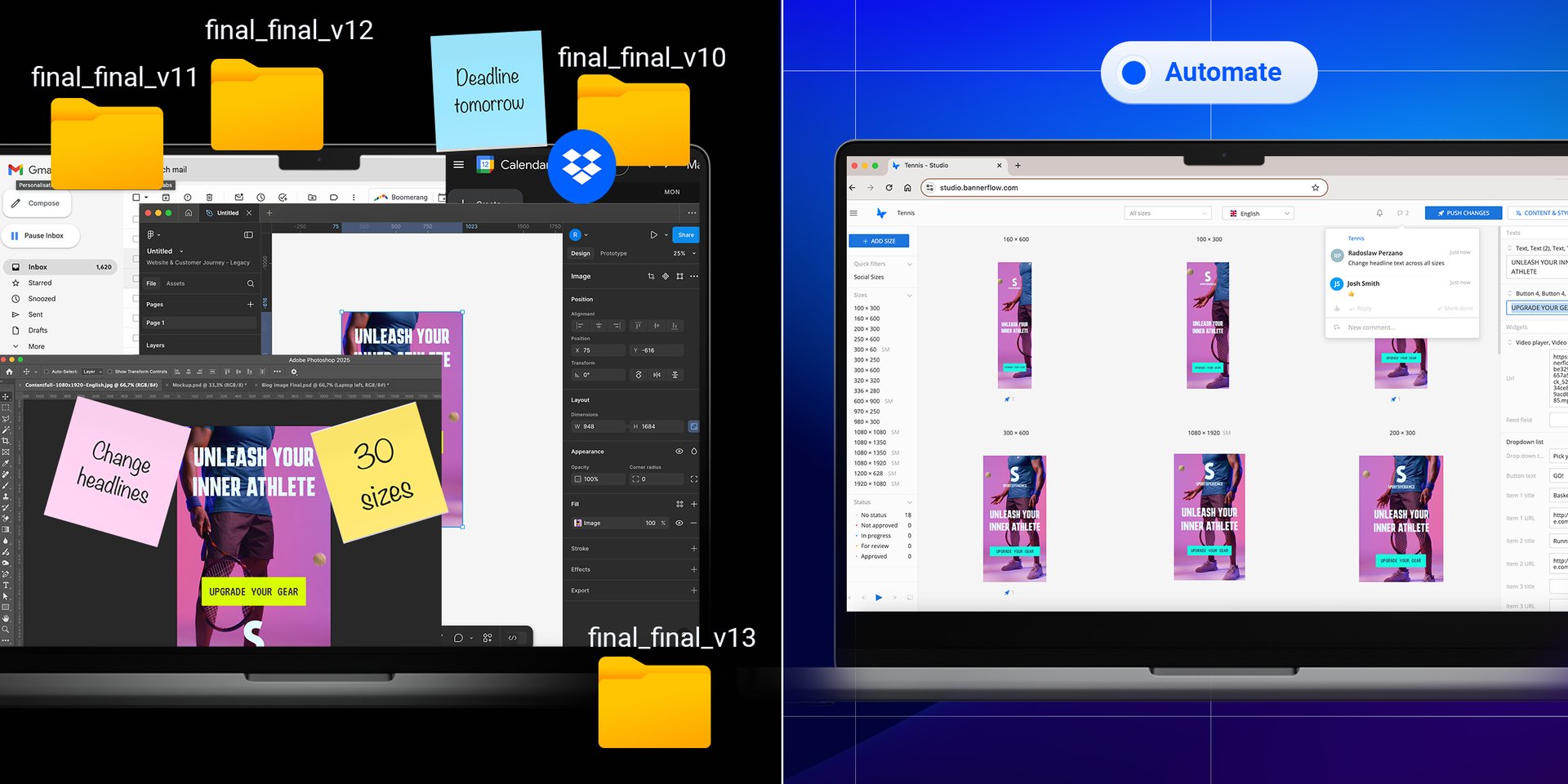
Creative automation is software that builds many versions of an ad from one master design. Instead of making every size, language, and variant by hand, you set up a template once, and the platform generates the rest. It automates production work, not creative judgment: people still decide what the ad says and whom it targets.
How to automate ad creative production: build one master template with the brand elements locked, connect a data feed for prices, products or copy, then set rules for which elements change by size, market and audience. The platform generates every version. You QA by exception, approve once, and publish straight to your ad server or DSP.
Why creative automation matters now
Budgets are tight, targets are higher, and audiences now expect messaging shaped to them on whichever channel they happen to use. Meeting that by hand means volume. A campaign across five markets in ten sizes and four formats is 200 creatives before anyone translates a word of copy.
Mobile makes the point concretely: a mobile banner needs different sizing and copy discipline than the same campaign's display banner counterpart, and a team building both by hand is doing the work twice for one campaign.
Most creative teams are already past what manual production can absorb, and the symptom shows up in the calendar rather than the workload. Campaigns that should go out in days take weeks, because every format and every market is a separate build. We've mapped the seven places that the bottleneck actually shows up in: 7 Creative Production Bottlenecks.
Creative automation is how teams close that gap without hiring for it.
What is creative automation?
Creative automation refers to tools that produce ad creative at scale from a single master design.
Teams use it for the mechanical parts of production: resizing, re-versioning, translating, rebuilding the same concept for a different placement. When a campaign needs forty variations of one idea, none of that work needs a human brain on it.
The name puts people off, and it shouldn't. Creative automation doesn't automate creativity. It removes the drudgery so designers and copywriters spend their time on the part that needs judgment. The tool makes the versions; the person decides which ones are worth making.
What creative automation does and doesn't do
| What creative automation does | What it doesn't do |
|---|---|
| Scales ad creatives from one master design | Replace human creativity or strategic thinking |
| Resizes visuals across formats and placements | Make campaign strategy decisions |
| Translates copy across languages quickly | Understand nuance, context, or the bigger picture |
| Keeps brand consistency through templates and brand rules | Bring a designer's or copywriter's experience |
| Makes Dynamic Creative Optimization (DCO) practical | Judge whether an idea is any good |
| Enables personalization at scale | Know when to abandon a concept |
For a longer checklist of what a platform should cover before you buy, see 8 things to know about creative automation platforms.
How to automate ad creative production, step by step
Most creative automation platforms follow the same six steps, in roughly this order.
1. Build a master template
A designer builds the creative once and marks which elements can change (images, headlines, calls to action, prices, dimensions) and which are locked. Logo placement, fonts, colors and legal text sit in the locked layer, so no version can drift off-brand no matter who generates it. Source imagery can come from your DAM or from generative AI. Bannerflow has AI image and video generation built into the same workspace as its templates.
2. Connect a data feed
Anything that changes often should be read from a source rather than edited by hand: a product feed, a spreadsheet of market copy, a CDP segment, or live signals like price, stock, location or weather. Update the feed and every version that uses it updates with it. Boozt runs translations, copy, images and video through feeds like this, which is how one campaign designer handles around 90% of its production.
3. Set the rules
Rules decide what each version gets. Which headline runs in which market, which product shows to which segment, how a layout reflows from a 300x250 banner to a 9:16 story. Most of the thinking happens here, and it happens once per campaign instead of once per size.
4. Generate the versions
The platform produces every combination you've specified across sizes, languages, formats and audiences. Five markets, ten sizes and four formats come to 200 creatives, all generated from one master, with translation handled in the same step. Meliá generates its campaigns for 43 markets this way. Our scaling and versioning page shows how this works in Bannerflow.
5. QA and approve
Because the brand layer is locked, review moves from checking every file to checking the exceptions: a long translation that overflows, a product image that crops badly, a price that came through wrong. Approvals happen in one place against one version, with role-based permissions, so sign-off stops queueing behind one person's inbox.
6. Publish and keep editing
Finished creatives go straight to your ad server, DSP or social channels. The better platforms let you edit creative inside live campaigns without re-trafficking tags, so fixing a price or swapping a tired headline takes minutes and needs no new build. CMC Markets uses live editing to push topical messages into running campaigns, and has seen post-click conversions rise by around 23%.
How does creative automation speed up campaign production?
Creative automation platforms such as Bannerflow speed up campaign production by generating every size, language and market version from one master design, then pushing later changes to ads that are already live. With Bannerflow, SEGA cut its campaign timelines by two-thirds and Meliá builds campaigns 50% faster.
- Every version comes from one build. Meliá runs display for 7 brands in 43 markets and 9 languages from a single Bannerflow workflow.
- Feeds replace hand edits. Boozt keeps its translations, copy, colors, images, logos and video in feeds. It produced 27,766 creatives in 2025, and one campaign designer handled around 90% of that.
- Localization happens in the same step. Telia used feeds, automated scaling and central production to take localized campaigns from weeks to hours.
- Live ads change without a rebuild. Coop Denmark launches a new concept almost every week and schedules mid-week changes in Bannerflow. "Monday we can have one creative that changes Tuesday," says Klaes Simonsen, Senior Digital Strategist.
What is the difference between resizing and scaling ad creatives?
Resizing is the process of reproducing one ad design to enable it to fit another placement. Scaling is the automated production of an ad in every size, language, and market version of a campaign from a single source, using rules that decide what changes and what stays fixed.
The six steps above describe scaling, resizing skips most of them. You take a finished 1080x1080 and get a 300x250 or a 9:16 out of it, either by hand or with a resizing tool that reflows the layout. Each new file is cut off from the original or manually produced, which means that any updates will require reproduction across all of the copies.
Scaled ad versions are always linked to the master, and that really matters once the campaign is launched. For example, if something changes while your campaign is already running, a simple edit to the master is reflected across all scaled versions, removing the need to reopen every affected file, export it again, and re-traffic it, hoping nothing gets missed.
You may not see an issue with resizing a few different assets; however, when you have to produce at volume, that is when the gap really shows. Here is what 100 variants of one campaign involve under each approach.
| Manual production | Resize and template tools | Scaling with a creative automation platform | |
|---|---|---|---|
| Inputs | A finished design, rebuilt by hand for each size | One finished design and a list of target dimensions | A master creative with editable elements, rules per format, and copy, translation and market data |
| What 100 variants takes | 100 separate builds, each sized, exported and checked by hand. Effort grows with every version. | Fewer builds from scratch, but each size is still placed, adjusted and exported one at a time. | One master build plus one rule set. The platform outputs all 100 and QA is by exception. |
| Who does the work | A designer, for every file | A designer or marketer, one design at a time | A designer builds the master once, then marketers generate and update versions without opening design files |
| After launch | Every change means reopening each file | Resized files aren't linked to the original, so each one is edited and exported again | One change at the source reaches every linked version, including live ones |
| Where it breaks | Volume. Effort grows with every size, language and market. | Extreme ratios and longer translated copy, and with no data connection every change multiplies | Setup takes real effort up front, so it pays back on recurring, multi-market work |
| Best for | One-off campaigns with a handful of sizes | Small teams producing a few dozen static ads | Brands and agencies producing hundreds of versions across markets |
Customer numbers give a sense of the difference: Meliá produces the same volume of ads 50% faster, and SEGA cut campaign production timelines by two-thirds (both covered in the examples below). For a buyer's checklist, see our Ultimate Guide to Creative Automation Platforms.
When is resizing enough?
Resizing is enough for brands that run small campaigns that don’t require any change once live: one language, one market, a handful of placements and copy that stays fixed after launch. A marketer who is pushing one product via Meta or LinkedIn doesn’t need to worry about using a rules-based scaling engine; tools like CapCut’s resize or Canva’s magic resize will get them the required format faster than building a template would.
Brands outgrow resizing when the reworking starts. If you have to resize the same campaign multiple times because a price or headline has changed, or duplicate a folder of 30 files to swap the language, you’re doing a scaling job with resizing tools.
What does scaling need that resizing doesn't?
A master built for variation. That means text boxes with room for a longer German headline, image slots that crop safely from a 970x250 billboard to a 160x600 skyscraper, and elements marked as locked or editable (step 1). You can resize a flat design file, but you can't really scale it.
Rules per format. The logo anchors top left on wide formats and the CTA drops below the product on tall ones, so every size comes out right without a designer touching it (step 3).
Data to vary against. Translations, regional prices, store names and legal lines belong in a feed or a sheet, not inside design files (step 2). Most of scaling is managing that data. The creative is the container it goes into.
A link that survives launch. Versions need to stay connected to the master all the way into the ad server, so one change reaches the ads already running (step 6). Without that link, the first export gets faster and every change after it stays slow.
Creative automation vs DCO vs CMP vs generative AI
These four terms get used interchangeably. They don't mean the same thing.
| Term | What it is | What it isn't |
|---|---|---|
| Creative automation | The capability: producing and versioning creative at scale from templates. A creative automation platform is the product built around it. | Not a replacement for creative judgment. Modern platforms report what performed; deciding what to make next is still a human call. |
| DCO (Dynamic Creative Optimization) | Serving different creative variants to different users and letting performance decide which wins | Not the production step. DCO needs the variants that creative automation makes. |
| CMP (Creative Management Platform) | An older umbrella term for the same product category, emphasising the management layer: design, workflow, approvals, publishing and reporting in one place | Not a different kind of product from a creative automation platform. Largely a different generation of naming. |
| Generative AI for ads | Models producing net-new assets (images, copy, video) from a prompt | Not the same as automation, which adapts and scales creative that already exists. Increasingly, they work together. |
Creative automation makes the variants, DCO decides which ones run, and generative AI is one possible input into the creative itself. Our 10-step DCO guide covers the steps required for successfully running DCO campaigns.
Whatever the label, one test is worth applying: if you automate production and still export files by hand to get them live, you've solved half the problem.
Bannerflow vs Storyteq
Both platforms automate creative at scale, and they're built around different bottlenecks.
| Bannerflow | Storyteq | |
|---|---|---|
| Primary focus | AI-powered creative automation platform for omnichannel digital advertising | Content Marketing Platform / DAM, for enterprise content operations and asset management across channels |
| Creative output | HTML5, video, rich media, social, DOOH, in-store | Video, banner, static, print |
| Dynamic creative optimization | Real-time dynamic creative optimization | Adaptation Studio for creative automation and localization |
| Update live campaigns without re-trafficking | Yes, producing, publishing and optimizing live ad creative in one place | Not published |
| Performance data in-platform | Yes, creative intelligence and reporting | Not published |
| Localization and translation | Yes | Yes, multi-market localization at scale is its strongest proof point |
| Brand governance | Centrally managed templates, permissions, approvals | Collaboration Hub with AI-powered brand governance |
| Enterprise DAM | Integrates with your existing DAM | Native Content Portal (DAM) with AI smart tagging |
| Integrations | Ad servers, DSPs, analytics platforms, DAMs, CDPs, publishing channels | Not display-network focused |
| Best fit | Mid-market to enterprise brands and agencies producing high volume for multiple markets | Enterprise teams needing DAM plus multi-market localization |
Compiled from each vendor's public product pages and G2, August 2026. Neither publishes list pricing.
For a wider comparison including Celtra, Smartly.io, Cape.io, The Brief and Innovid, see our guide to the best creative automation platforms in 2026.
Examples of creative automation
SEGA. SEGA advertises Sonic the Hedgehog, Total War and Football Manager into markets with genuinely different advertising needs, while holding one global brand identity. Creative automation cut campaign production timelines by two-thirds, and dynamic ads improved audience engagement.
Meliá Hotels International. Meliá's in-house team produces display campaigns for 7 brands and 2 loyalty programmes across 43 countries in 9 languages. They now produce the same volume of ads 50% faster, build more versions per campaign and audience, and adjust dynamic creatives while campaigns are live.
Storytel. Present in more than 20 markets, Storytel's problem was producing every format a multi-market campaign demands. Using in-platform translation, the team built thousands of localized display ads with full brand control and quick approval of global campaigns.
Hallon. The Swedish telecom needed efficiency and the ability to change strategy quickly. Hallon doubled creative output in the same timeframe, publishing banners in real time with consistency held across every creative.
Coop. Coop Denmark runs weekly offer campaigns for 900 stores across three brands, and prices, products and store details change every week in every placement. Resizing by hand doesn't hold up at that pace. The team has produced more than 31,000 creatives in Bannerflow. See how supermarket teams use it.
None of these five teams had the same bottleneck.
Benefits: what teams actually gain
The obvious gain is time, and the customer numbers above are a more honest measure of it than any industry average: 50% faster at Meliá, two-thirds faster at SEGA, double the output at Hallon. What that looks like in practice depends entirely on how many variants you were building by hand.
The less obvious gains matter as much. When brand rules are applied programmatically, the wrong logo and the outdated legal line stop reaching production, and rework is a cost most teams never properly count. The same discipline helps catch ad fatigue earlier too, since a template makes it easy to refresh a tired creative instead of quietly running it past its best. Centralized workflows with role-based permissions mean review happens in one place against one version, which matters because approvals, rather than production, are often what actually holds a campaign.
Then there's personalization. It needs many iterations of the same ad per segment, so without automation you either fund that properly or skip it. Automation removes that choice, which is what makes personalization at scale something teams do rather than plan to do.
When do you need a creative automation platform?
A creative automation platform is where production, management, and scaling happen in one environment. Most share a core set of features: smart templates, dynamic content creation, multi-channel output, real-time updates, and collaborative tools.
Four signs it's time:
Campaigns take too long to launch. Five markets, ten sizes, four formats is 200 creatives, plus translation for each market. If your team is regularly behind campaign timelines, production volume is usually why.
You want personalization at scale. It demands many creative iterations per segment and quick reaction to how audiences respond. That's expensive by hand and routine with automation.
Production has become a grind. When the team says it has no time for strategic work, look at what share of the week goes to repetitive tasks. That's the work automation was built for.
You repurpose a lot of existing material. Reusing what worked is sensible, and adapting it is still slow. Automation handles the adjustments and keeps brand consistency, which matters most with older assets.
If you're already well past that tipping point, our Scaling Digital Creative Production playbook covers what changes at enterprise volume.
→ Want to automate creative production and save hours? Discover Creative Studio
Our Ultimate Guide to Creative Automation Platforms goes deeper on evaluation, and the Implementing Creative Automation playbook covers rollout.
Does creative automation replace designers?
No. Creative automation removes the repetitive part of the job: resizing, re-versioning, retranslating. What it hands back is time for concept work. Designers still set the visual system, build the templates every variant derives from, and make the calls no tool can make: what the idea is, whether it lands, and when to abandon it.
What it does change is how a design team spends its week. Teams that adopt it well tend to shift effort toward strategy and concepting rather than cutting headcount, because the constraint was never how fast people could resize things.
From automation to creative intelligence
Automating production solves output, and most platforms now report which variants performed, ours included. What they don't do is close the gap between that reporting and the next creative decision, which is where most teams stall.
We asked 300 marketers in Europe, the US, and Canada where the process breaks down. The measurement side turned out to be in reasonable shape: 93% track more than one creative performance metric, and around 80% look at performance data when shaping creative strategy. What they couldn't do reliably was turn any of it into creative decisions. The stages they named as most disconnected were data analysis, performance reporting, and optimization, which are exactly the stages automation is meant to help with. Read the full findings from 300 marketers.
Creative intelligence is the layer that closes that gap: predicting which creative is likely to perform before launch, scaling production of what works across markets and formats, and proving impact with attributed results. Without it, automation increases your output and leaves you no wiser about which creative did the work.
For where this goes over the next year, see Creative Automation Trends in 2026.
Frequently Asked Questions
What is creative automation?
Creative automation is software that builds many versions of an ad from one master design. You set up a template once, and the platform generates the sizes, languages, and variants you need. It removes the manual production work while leaving creative and strategic decisions with your team.
How do you automate ad creative production?
Build one master template with the brand elements locked, connect a data feed for anything that changes (prices, products, market copy), and set rules for which elements vary by size, market and audience. The platform then generates every version. You review the exceptions, approve once, and publish to your ad server, DSP or social channels, where the creative can still be edited live.
How do creative automation platforms speed up campaign production workflows?
A creative automation platform like Bannerflow speeds up production because nobody rebuilds the campaign for each version. A designer builds one master, a feed supplies prices, copy and translations, and the platform generates every size, language and market version, then pushes changes to ads that are already live. SEGA cut campaign production by two-thirds this way, and Telia took localized campaigns from weeks to hours.
What do you need to automate ad creative production?
At minimum, a creative automation platform with template-based design, automated resizing, and publishing integrations. Most teams also connect a DAM for source assets, a feed or CDP if they are personalizing against data, and an ad server or DSP for distribution. A good platform integrates with all of these rather than replacing them.
What is the difference between creative automation and a creative management platform?
Very little in practice. Creative automation is the capability (scaling and versioning creative from templates), and a creative automation platform is the product built around it. Creative management platform, or CMP, is an older umbrella term for the same category, emphasizing the management layer: design, workflow and approvals, publishing, and reporting in one place. What matters more than the label is whether the product covers publishing. If you automate production and still export files by hand to get them live, you have solved half the problem.
Is resizing the same as scaling ad creatives?
No. Resizing adapts one design to new dimensions and produces separate files. Scaling generates every size, language and market version from one linked master, so a later change reaches all of them at once, including versions already live.
Can AI resizers scale ad creatives?
They speed up resizing by reflowing one design into new formats. Most don't handle translations, market-specific data or updates after launch, and scaling depends on all of those. They suit small, fixed campaigns. Recurring multi-market work needs a creative automation platform.
Can you automate ad creative production without losing brand consistency?
Yes. Logos, fonts, colors and legal copy sit in a locked layer of the master template, so editors can only change the fields you open up, such as the headline, image or price. Every version inherits the same brand rules, and approvals happen against one source instead of hundreds of exported files.
Is automating ad creative production the same as using AI to generate ads?
They overlap more every year. Generative AI creates new images, copy or video from a prompt. Automation takes a creative and produces every size, language and market version of it, then publishes and updates those versions. Bannerflow does both in one workspace, with AI image and video generation feeding the same templates that handle scaling, localization and approvals.
Does creative automation replace designers?
No. It removes the repetitive part of the job, meaning resizing, re-versioning, and retranslating, and returns that time to concept work. Designers still set the visual system, build the templates everything else derives from, and make the calls automation cannot: what the idea is, whether it lands, and when to abandon it.
How much time does creative automation actually save?
Savings scale with variant count. A campaign needing one creative in one market gains little; one needing 200 creatives across eight markets gains a great deal, because template-driven production cost stays roughly flat as output grows while manual production cost rises with every version. Bannerflow customers report figures like 50% faster production at Meliá Hotels and two-thirds faster at SEGA.