Ad Technology & AutomationChannels & Media
Bannerflow adds OpenAI (ChatGPT) Catalog Ad Capabilities
Last updated
The short answer: OpenAI catalog ads are product ads in ChatGPT that are generated from a retailer’s product feed. They went live in 31 European markets on 24 August 2026, and Bannerflow’s Social Dynamic Ads template builds the catalog from the feed you already run, with no new production line and with customization capabilities for increased brand recognition.
Shoppers now ask ChatGPT what to buy, and the retailers that appear in a sponsored box below the response are the ones whose product data is already in good shape. OpenAI started serving ads to ChatGPT users in 31 European markets on 24 August 2026, and catalog ads let a retailer advertise straight from its product feed. Bannerflow has made getting started simple: a user-friendly template asks for the key information about your ad and builds it for you, with the same level of customization you get in other social dynamic channels.
Key takeaways
- ChatGPT ads reached 31 European markets on 24 August 2026, and a self-serve beta followed on 31 August.
- With catalog ads, your product feed supplies the product names, images, prices and attributes. You do not write an ad for each product.
- Bannerflow's template asks for the key information and generates the ad, with the customization you already have in other social dynamic channels.
- Prices and availability flow from your feed, so the ad stays current without manual edits.
- Early means learning while the channel is young. Personalized targeting is not available in the EU at launch, and measurement is limited.
Why OpenAI catalog ads matter now
OpenAI began serving ads to ChatGPT users across 31 European markets on 24 August 2026. Ads appear below a response in a box labeled "Sponsored", and only Free and Go plan users see them. A beta self-serve Ads Manager opened to eligible advertisers on 31 August, with no agency or minimum spend.
The audience is large. Digiday reports that ChatGPT has passed 900 million weekly active users, and that about 20% of queries show direct commercial intent. Shoppers are using the product to compare options and ask detailed questions before they buy.
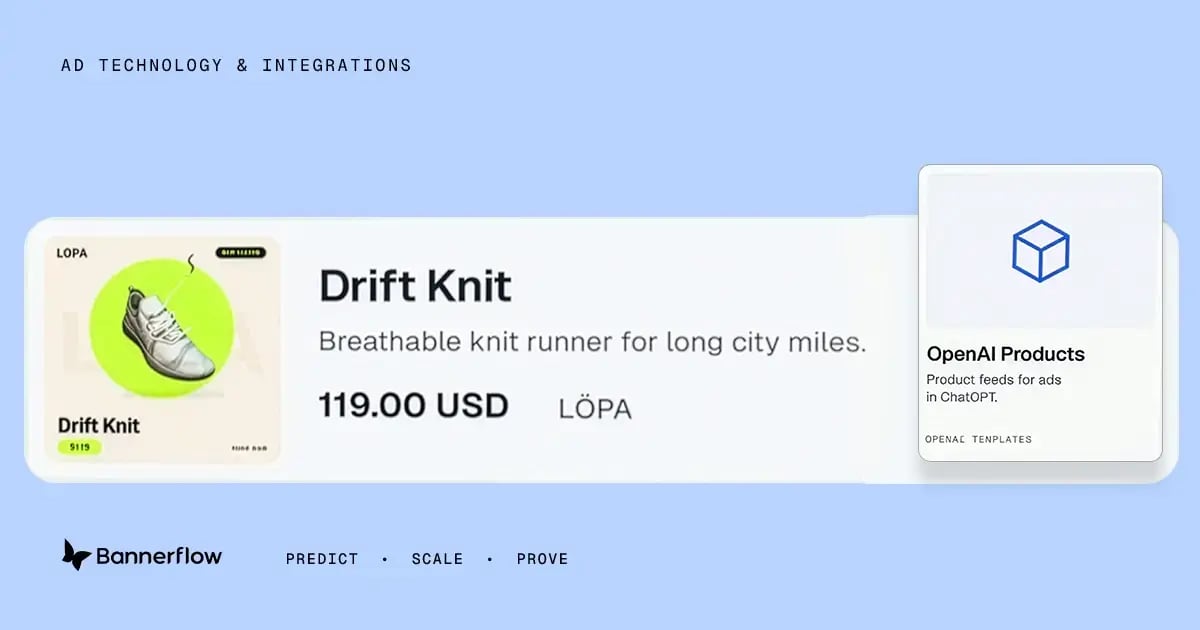
Catalog ads are the format built for retailers. Instead of writing an ad for every product, you connect a product feed, set filters for the products that are eligible, and the platform generates the ads from your product names, images, prices and attributes. If your catalog is already in Bannerflow, you just need to choose the OpenAI dynamic advertising template.
For European retailers, that changes the question. It is no longer whether to test a new channel, but how quickly you can get your catalog into it. Bannerflow's Social Dynamic Ads now supports OpenAI catalog ads, which is what the rest of this piece covers.
Why your feed decides who shows up
On a search results page, a retailer can win with a sharper headline. In a conversation, the ad is triggered by what the user asks. The Keyword describes it as an intent-based alternative to search, social or marketplace signals. That puts the weight on your product data.
Feed management company Productsup puts it this way in its analysis of the launch: AI can only recommend the products it understands. Clear titles, accurate descriptions, consistent attributes, a sensible taxonomy and good imagery all affect whether a product surfaces. Productsup sells feed tools, so treat that as one view, but the logic holds. An ad built from a thin feed will be a thin ad.
This is also where retailers have an advantage. If you already run dynamic ads from a product feed, you have done most of the hard work. The same feed discipline that keeps prices correct on display and social now decides how you show up in a new place. In our post on why supermarket brands use Bannerflow, the point was the same: Bannerflow reads your feed, so feed quality sets the ceiling on creative accuracy.
How Bannerflow gets you in early
A new channel usually means a new build: a new file format, new rules and a new set of assets to produce. Bannerflow has taken that work out of the way. Social Dynamic Ads now includes new templates, built to OpenAI's requirements, that turn the feeds you already run into a catalog file for OpenAI.
The template is designed for people who do not want to think about file specifications. It asks for the key information about your ad and generates the ad from your answers. You are not starting from a blank page, and you do not need to learn OpenAI's format first.
It is also not a stripped-down version of what you already use. The template gives you the same level of customization you have in other social dynamic channels, so the ad can still reflect your brand and your offer.
"Teams have already put the work into their product feeds. We wanted getting those feeds into OpenAI to feel as familiar as any other social dynamic channel, so the template asks for the essentials and does the rest," says Ludvig Johansson, Product Manager at Bannerflow.
In practice, getting started looks like this:
- Start from the feed you already run. There is no new data source to set up.
- Fill in the template. It asks for the key information about the ad.
- Generate the catalog. The ad is built to OpenAI's requirements and delivered as a catalog file.
- Keep it current. Prices and availability flow from your feed, so you do not edit the ad each time something changes.
The result is that being early on this channel is a template task, not a production project. Your team can spend its time on which products to feature and what to learn from the first campaigns.
Information needed for the OpenAI catalog template
The template asks for the following details for each product. These are standard fields in most product feeds, so if your feed already powers dynamic ads, you probably have them.
- Item ID. A unique identifier for each product. Keep it the same over time so updates always match the right product.
- Title. The product name, written the way a shopper would say it.
- Description. A short, clear description of what the product is and why someone would want it.
- URL. The link to the product page, where shoppers land after clicking the ad.
- Brand name. The brand that makes the product.
- Seller name. The retailer that sells the product.
- Availability. Whether the product is in stock, so you do not promote something shoppers cannot buy.
- Price. The current price of the product, including the currency.
What to check before you start
You do not need a perfect feed to begin, but a short check now saves time later. Run through these before you build your first catalog.
- Titles and descriptions. Write them the way a shopper would ask for the product, not the way your warehouse labels it.
- Images. Make sure every product has a clear, current image.
- Price and availability. Confirm both are accurate and update automatically from the source.
- Attributes and categories. Keep them consistent across the feed, so products group sensibly.
- A sample first. The Keyword reports that OpenAI has asked new e-commerce partners to submit a sample feed of about 100 products before connecting the full catalog. A small first set is a good way to learn.
- Tracking. Set up conversion tracking on your landing page so you can compare results with your existing channels, as LI Solutions recommends.
- Which products to feature. Decide which lines you want to promote first. Catalog campaigns let you filter the products that are eligible.
If your feed already powers dynamic ads, most of this is done. If not, our guide to dynamic creative optimization is a good place to start.
What is still early
This is a young channel, and it is worth going in with realistic expectations.
- Targeting is limited in Europe. As highlighted by LI Solutions, personalized ads are not available in the EEA or Switzerland at launch. Ads match the context of the conversation and coarse signals such as language and general location.
- Measurement is basic. Advertisers receive aggregated views and clicks, and cannot see the conversations.
- Some categories are restricted. Health, financial and legal services are limited outside the US.
- The channel is unproven. Victor Batista of Jellyfish told Digiday that the platform is "very much unproven", while noting how quickly it has grown.
That is the case for starting small. Early spend teaches you which products and prompts perform, at a time when the learning is cheap.
It is also worth being clear about what Bannerflow does here. It prepares the ad and the catalog. It is not a media buying platform, so budget, bidding and targeting stay where they are today.
Get in early with Bannerflow
If you already run a product feed, you are close to ready. Talk to your CSM about the new Social Dynamic Ads template, or book a demo and bring your feed.
Frequently asked questions
What are OpenAI catalog ads?
Catalog ads are product ads that appear in ChatGPT and are generated from your product feed. They use your product names, images, prices and attributes, so you do not write an ad for each product.
Are ads in ChatGPT available in Europe?
Yes. OpenAI began serving ads in 31 European markets on 24 August 2026. A beta self-serve Ads Manager opened to eligible advertisers on 31 August.
Do I need a new product feed?
No. Bannerflow's Social Dynamic Ads template works from the feeds you already run and generates a catalog file in the format OpenAI requires.
What does the Bannerflow template ask for?
It asks for eight details for each product: item ID, title, description, product page URL, brand name, seller name, availability and price. These are standard fields in most product feeds, and you get the same level of customization as in other social dynamic channels.
How do prices and availability stay accurate?
They come from your feed. When the feed changes, the ad reflects it, so you do not edit ads by hand.